
How to Prepare Your Family Data
How to Make a Family Tree
Creating a beautiful family tree chart is one of the most rewarding ways to display your genealogy research. A well-designed chart turns years of family history into something you can see, share, and even frame on your wall.
Before adding names to a template, however, it helps to organize your family information first. Taking a little time to prepare your data will make the process of filling in your family tree much smoother and will help ensure the final chart looks clean and accurate. This guide will walk you through how to prepare your family tree data so you can easily add it to a template and create a polished genealogy chart.
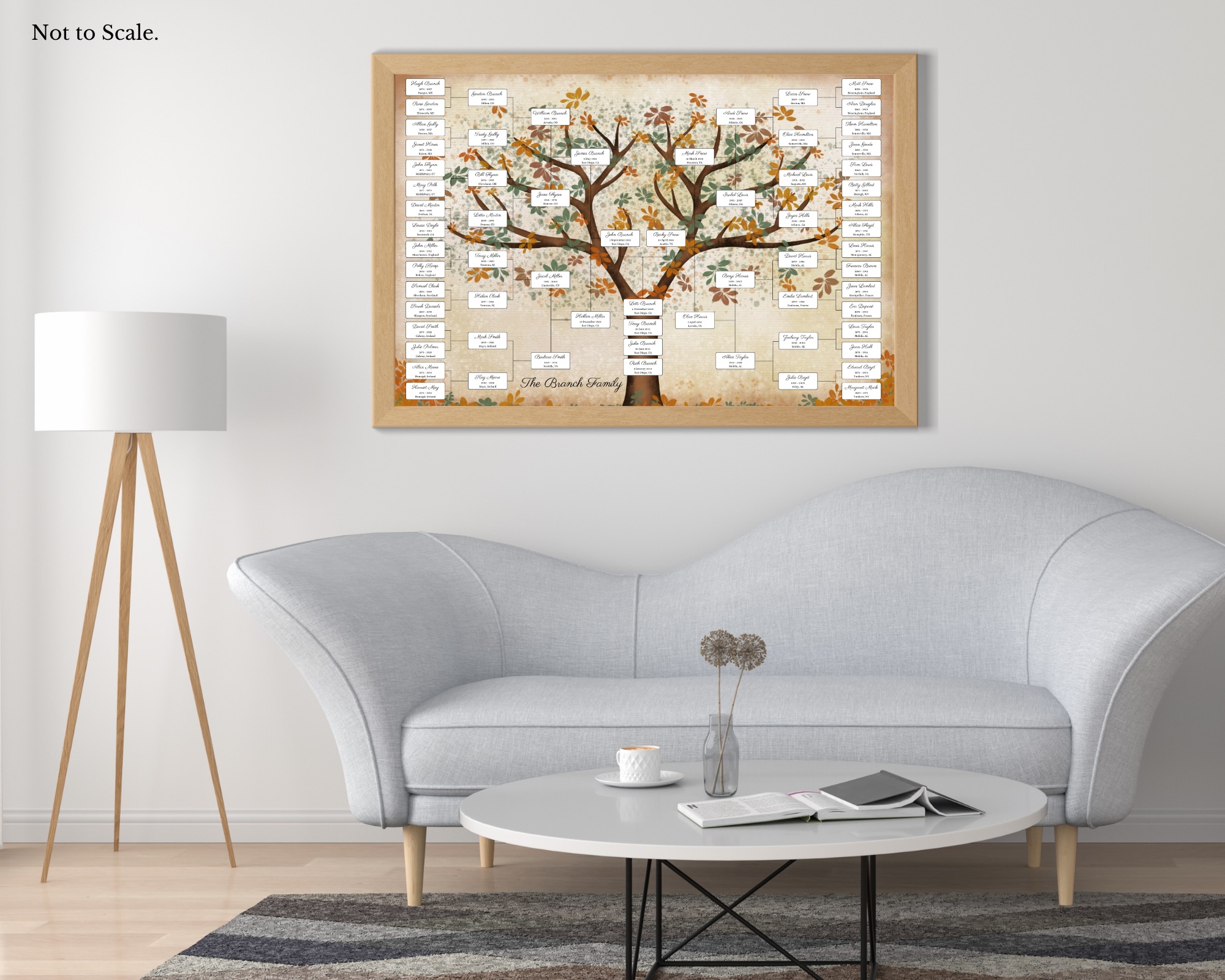
6 Generation Family Tree

4 Generation Family Tree

8 Generation Family Tree

6 Generation Photo Chart
1. Start With Your Direct Line
Most family tree templates focus on direct ancestors, meaning the people you descend from in a straight line. This includes:
- Parents
- Grandparents
- Great-grandparents
- Earlier generations
A direct lineage chart follows one ancestor from each generation rather than listing every sibling or extended relative. When preparing your information, start by identifying the individuals you want to include. If your chart holds ten generations, for example, you will only need the direct ancestor in each generation. This keeps the tree clear and easy to read. Not sure which chart size is right for you? Browse the family tree chart templates to find the right fit.
2. Create a Simple Data List
A basic structure might include:
Name
Birth year
Death year
Birth location
For example:
Jane Elizabeth Smith
Born: 1843
Died: 1911
Location: Ohio, USA
Having everything in one place makes it much easier to copy and paste the information into your chart later. It also helps you quickly spot missing information.
3. Decide How You Will Format Names
One of the most common challenges when filling in a family tree chart is fitting names neatly into the design. Before you begin, decide how you want to format names consistently.
For example:
Option 1: Full names
John William Anderson
Option 2: First and last name
John Anderson
Option 3: First name and middle initial
John W. Anderson
Shorter formats often work best for family tree charts because they leave more space and keep the design balanced. Consistency is the key. Try to use the same format for every generation.
4. Decide How to Show Maiden Names
Another important choice is how to handle maiden names. Most genealogists prefer to use maiden names for women in family trees because it shows the original family line. Again, choose a style that fits your chart and apply it consistently.
For example:
Mary Elizabeth Johnson
rather than
Mary Elizabeth Smith
If you would like to include both names, you could format them like this:
Mary Elizabeth Johnson (Smith)
5. Simplify Dates When Necessary
Family tree charts often look best when dates are simplified.
Instead of writing full dates like:
March 14, 1822
you might use:
1822–1891
Or simply list the birth year. This keeps the design uncluttered and allows the focus to remain on the names and connections between generations.
6. Choose Locations Carefully
Locations can add helpful context to a family tree, but long place names can sometimes take up too much space.
For example:
Instead of writing
Springfield, Clark County, Ohio, United States
you could shorten it to:
Springfield, Ohio
or even just
Ohio
7. Prepare Portrait Photos*
If your family tree template includes portraits, gathering and preparing the photos ahead of time will save time later.
Choose images that are:
- Clear and high resolution
- Focused on the person’s face
- Cropped to a portrait style when possible
Old photographs can often be digitized using a flatbed scanner or a phone scanning app. Once the images are saved digitally, they can easily be uploaded and placed into a Canva family tree template.
*if your template includes them
8. Double Check Your Information
Before filling in your chart, take a moment to verify your data.
Check:
- Name spellings
- Birth and death years
- Generational order
Family tree charts often become keepsakes or gifts, so it’s worth making sure everything is correct before the design is finalized.
9. Leave Room for Future Discoveries
One of the joys of genealogy is that new discoveries happen all the time.
You may eventually uncover:
- New ancestors
- Missing birth dates
- Additional family stories
Because of this, it’s helpful to save a copy of your organized data file so you can update your family tree chart later if needed.
10. Turning Your Research Into a Finished Family Tree
Once your family data is organized, creating a finished family tree becomes much easier. You can simply enter your prepared names, dates, and photos into a template, transforming your research notes and genealogy records into a beautiful chart that can be shared with relatives or displayed in your home.
Preparing your data first ensures the process is smooth and the final result looks polished and meaningful.
Browse the printable family tree chart templates and choose the layout that best fits your family, from the popular 6 generation chart, to an elegant lineage chart or a sprawling descendant chart.
Once your family data is organized and ready to go, the next step is choosing the right template. Browse the full collection from the simple 4 generation family tree chart all the way up to the impressive 7 generation descendant pedigree, with plenty of options in between. If your template includes portraits, the guide on preparing photos for family tree charts walks you through getting your images print-ready. And when your chart is complete, the guide on printing your family tree poster covers everything from paper types to print sizes. The hard work is done, now it is time to make it beautiful.